
Importing Sample Content
Sample content is hidden in the file system, and requires importing from the package manager window. The Importing Crest step needs to be done first.
Open
Set the packages menu to Packages: In Project (see C below)
Select the Crest package you are interested in from the package list under the Wave Harmonic group (see H below). If using Unity 6, Crest will show up twice in the menu, make sure to select the package under the Wave Harmonic group towards the bottom.
In the main window that shows the package’s details, find the Samples section (see J below)
To import a Sample into your Project, click the Import into Project button. This creates a Samples folder in your Project and imports the Sample you selected into it. This is also where Unity imports any future Samples into.
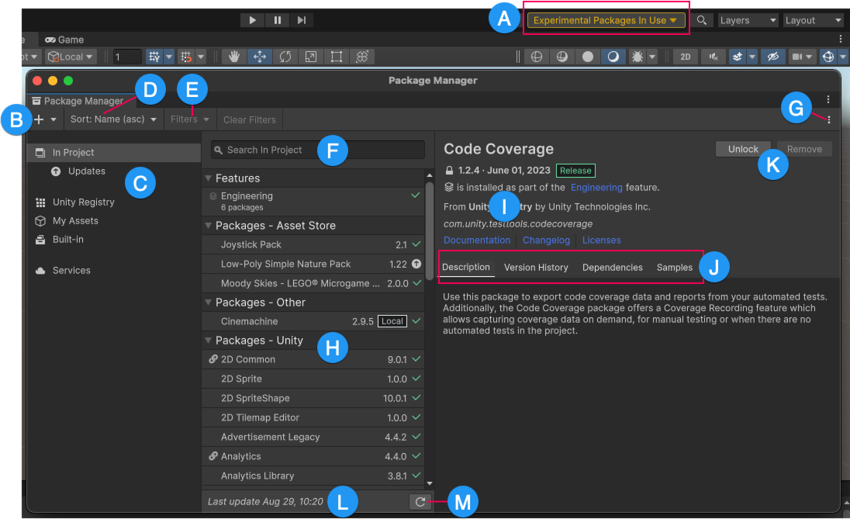
Fig. 1 Package Manager window