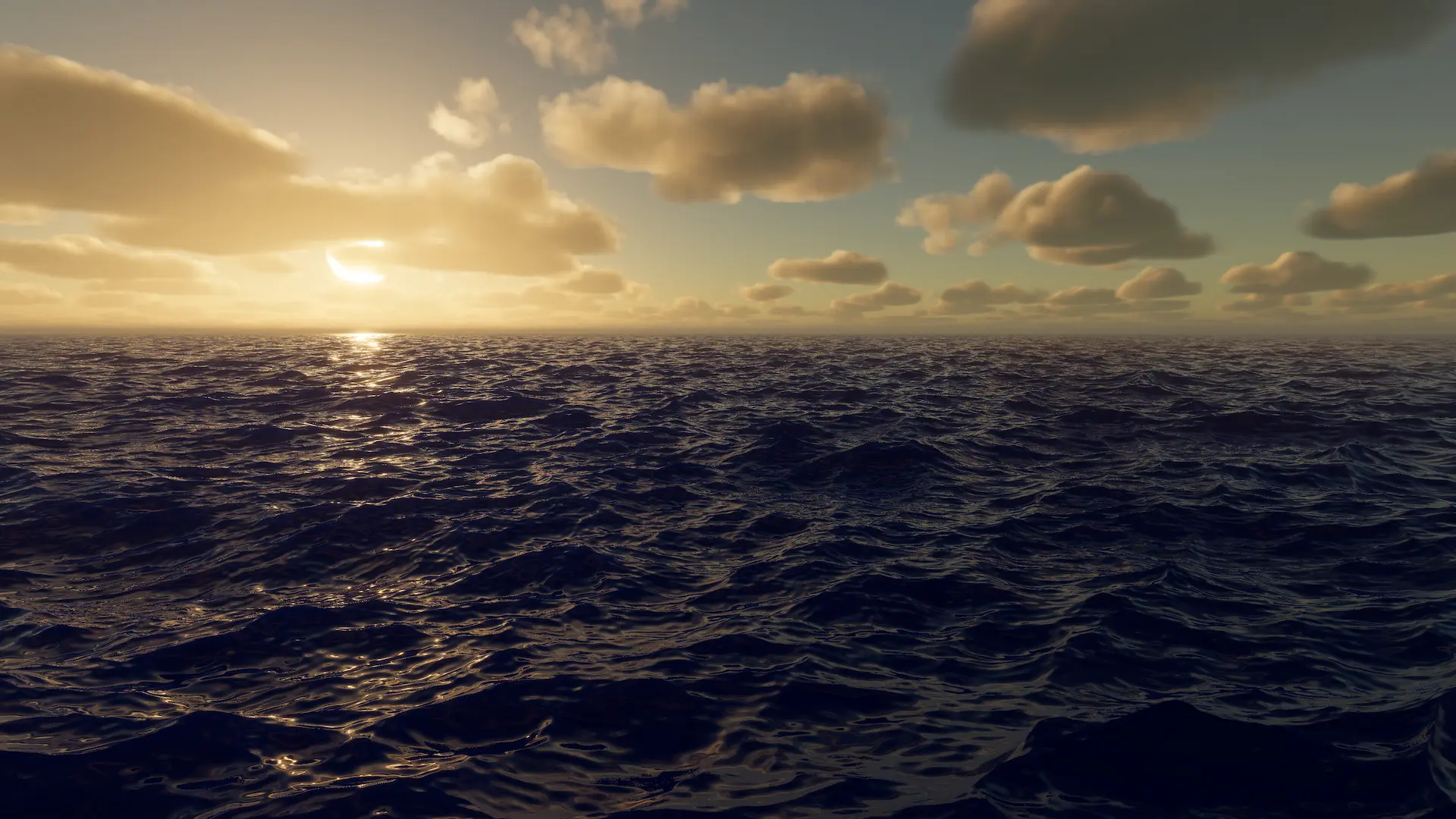
FFT wave shape.
Related: Animated Waves, Wave Spectrum, Water Inputs
Properties
Mode |
The mode for this input. See the manual for more details about input modes. Use AddComponent(LodInputMode) to set the mode via scripting. The mode cannot be changed after creation. |
Paint |
Hand-painted data by the user. |
Spline |
Driven by a user created spline. |
Renderer |
Attached ‘Renderer’ (mesh, particle or other) used to drive data. |
Global |
Covers the entire water area. |
Texture |
Data driven by a user provided texture. |
Area |
Covers a local area. |
Weight |
Scales the input. |
Queue |
The order this input will render. Order is Queue plus SiblingIndex |
Blend |
How this input blends into existing data. Similar to blend operations in shaders. For inputs which have materials, use the blend functionality on the shader/material. |
Off |
No blending. Overwrites. |
Additive |
Additive blending. |
Alpha |
Applies the inverse weight to the target. Basically overwrites what is already in the simulation. |
Alpha Clip |
Same as alpha except anything above zero will overwrite rather than blend. |
Feather |
The width of the feathering to soften the edges to blend inputs. Inputs that do not support feathering will have this field disabled or hidden in UI. |
Follow Horizontal Wave Motion |
How this input responds to horizontal displacement. If false, data will not move horizontally with the waves. Has a small performance overhead when disabled. Only suitable for inputs of small size. |
Bicubic Sampling |
Whether to use bicubic sampling to reduce artifacts. This is only needed when using gerstner waves without normal maps or small waves to hide artifacts. |
Mode
Spline
Driven by a user created spline.
Related: Spline Mode
Spline |
The Crest Spline to use with this input. |
Override Radius |
Whether to override the spline’s radius. |
Radius |
The radius of the spline. |
Override Subdivisions |
Whether to override the spline’s subdivisions. |
Subdivisions |
Increasing subdivision increases the geometry density. Mostly useful for water level changes. High values can reduce staircasing effect. |
Wave Multiplier |
Weight multiplier to scale waves. |
Feather Wave Start |
Feathers waves across the spline (ie across width). Reverse the spline to swap direction. |
Paint
Hand-painted data by the user.
LeftClick, hold and drag to add waves orientated along the drag direction. Hold Shift-LeftClick to remove.
Related: Paint Mode
Data |
Stores the editor paint data. |
Baked Texture |
Stores the standalone paint data. |
Bake On Save |
Automatically re-bakes the texture on save. This will only work after the first bake. |
Show Baked Texture |
Force the input to use the baked paint data for standalone. |
World Size |
Change the world size of the painted area. Will not delete data when shrinking. |
Requested Texel Density |
The resolution of the output. Output texture resolution will scale to the world size based on this value - basically how many texels per unit (meters). |
Maximum Resolution |
The maximum resolution of the output. If one dimension exceeds this value, it will be clamped, and the smaller dimension will be scaled down proportionally. |
Brush Size |
Size of the brush. |
Brush Strength |
Strength of the brush. |
Normalize Stroke Magnitude |
Whether to normalize the magnitude of the brush stroke. Directional data will will use the magnitude of the stroke as the brush strength. With this option enabled, it will normalize, and use the Brush Strength property instead. Normalizing will give more consistent strokes. |
Clamp Output Magnitude |
Whether to clamp the magnitude of the output. When disabled, the output (ie the texture) can exceed the maximum wave strength of the spectrum, as this is effectively a multiplier on a per-pixel basis. Use responsibly. |
Area
Covers a local area.
Related: Area Mode
Area |
The Crest Area to use with this input. |
Texture
Data driven by a user provided texture.
Related: Texture Mode
Texture |
Texture to render into the simulation. |
Multiplier |
Multiplies the texture sample. This is useful for normalized textures. The four components map to the four color/alpha components of the texture (if they exist). If you just want to fade out the input, consider using weight instead. |
Negative Values |
Whether the texture supports negative values. |
Renderer
Attached ‘Renderer’ (mesh, particle or other) used to drive data.
Related: Renderer Mode
Renderer |
The renderer to use for this input. Can be anything that inherits from Renderer like MeshRenderer, TrailRenderer etc. |
Disable Renderer |
Forces the renderer to only render into the LOD data, and not to render in the scene as it normally would. |
Override Shader Pass |
Whether to set the shader pass manually. |
Shader Pass Index |
The shader pass to execute. Set to -1 to execute all passes. |
Check Shader Name |
Check that the shader applied to this object matches the input type. For example, an Animated Waves input object has an Animated Waves input shader. |
Check Shader Passes |
Check that the shader applied to this object has only a single pass, as only the first pass is executed for most inputs. |
Waves
Spectrum |
The spectrum that defines the water surface shape. |
Evaluate Spectrum At Run Time Every Frame |
Whether to evaluate the spectrum every frame. When false, the wave spectrum is evaluated once on startup in editor play mode and standalone builds, rather than every frame. This is less flexible, but it reduces the performance cost significantly. |
Apply Advanced Spectrum Controls |
Whether to apply the options shown when “Show Advanced Controls” is active. |
Respect Shallow Water Attenuation |
How much these waves respect the shallow water attenuation. Attenuation is defined on the Animated Waves. Set to zero to ignore attenuation. |
Sea Level Only |
Whether global waves is applied above or below sea level. Waves are faded out to avoid hard transitions. They are fully faded by 1m from sea level. |
Override Global Wind Direction |
Whether to use the wind direction on this component rather than the global wind direction. Global wind direction comes from the Water Renderer component. |
Wind Direction |
Primary wave direction heading (degrees). This is the angle from x axis in degrees that the waves are oriented towards. If a spline is being used to place the waves, this angle is relative to the spline. |
Override Global Wind Speed |
Whether to use the wind speed on this component rather than the global wind speed. Global wind speed comes from the Water Renderer component. |
Wind Speed |
Wind speed in km/h. Controls wave conditions. |
Override Global Wind Turbulence |
Whether to use the wind turbulence on this component rather than the global wind turbulence. Global wind turbulence comes from the Water Renderer component. |
Wind Turbulence |
How turbulent/chaotic the waves are. |
Wind Alignment |
How aligned the waves are with wind. |
Generation Settings
Resolution |
Resolution to use for wave generation buffers. Low resolutions are more efficient but can result in noticeable patterns in the shape. |
Time Loop Length |
FFT waves will loop with a period of this many seconds. For baked data (CPU queries): smaller values decrease data size, but can make waves visibly repetitive; and this value will clamped at 128 regardless of what the UI allows. |
Level of Detail
Include In Drop Detail Height Based On Waves |
Whether the maximum possible vertical displacement is used for the Drop Detail Height Based On Waves calculation. This setting is ignored for global waves, as they always contribute. For local waves, only enable for large areas that are treated like global waves (eg a storm). |
Collision Data Baking
Enable Baked Collision |
Enable running this FFT with baked data. This makes the FFT periodic (repeating in time). |
Time Resolution |
Frames per second of baked data. Larger values may help the collision track the surface closely at the cost of more frames and increase baked data size. |
Smallest Wavelength Required |
Smallest wavelength required in collision. To preview the effect of this, disable power sliders in spectrum for smaller values than this number. Smaller values require more resolution and increase baked data size. |
Baked Wave Data |
Culling
Override Culling |
Whether to override automatic culling based on heuristics. |
Maximum Vertical Displacement |
Maximum amount the surface will be displaced vertically from sea level. Increase this if gaps appear at bottom of screen. |
Maximum Horizontal Displacement |
Maximum amount a point on the surface will be displaced horizontally by waves from its rest position. Increase this if gaps appear at sides of screen. |