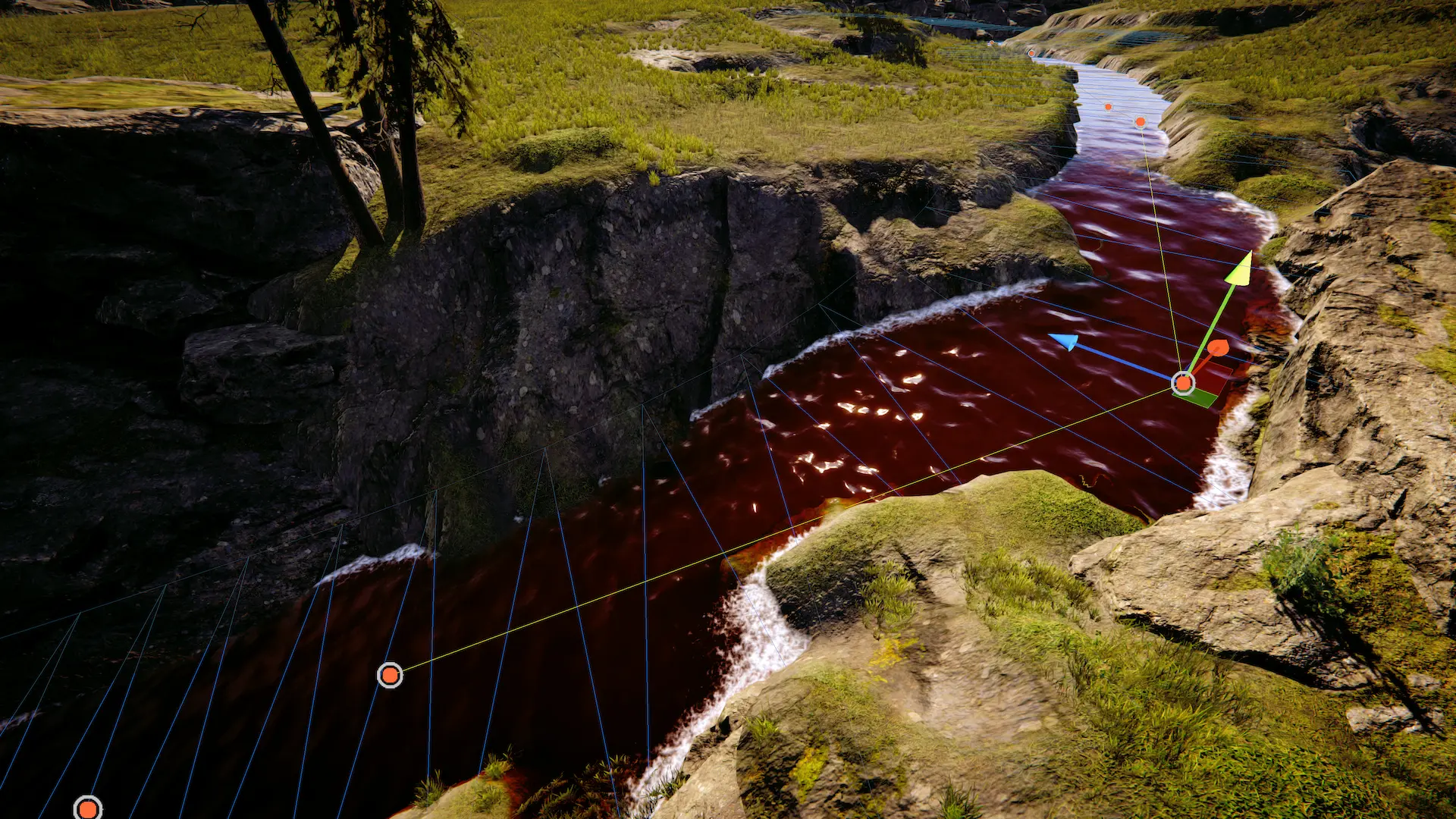
Splines are useful tools for authoring. They can give a more convenient workflow than using primitive meshes as they are malleable in the editor. Furthermore, splines are imbued with data like velocity and direction for water flow.
A common use of splines is to set the water level to follow a riverbed using the Level Input component. A spline may also be used to add waves or flow velocity. Another typical use case of splines is to add waves aligned to shorelines.
Usage
Firstly add a Spline component to an empty game object. Then use the controls on the spline to add spline points – similar controls are also available on the spline points themselves.
To get started:
Add a Spline component
Use the spline controls on the spline to add two spline points
You will notice no spline mesh has been generated. This is because splines do nothing by themselves and are are used in conjunction with Lod Inputs and Shape components.
The following components can be used with splines:
Level Input can be used to set the water level to match the spline.
Flow Input can be used to make the water move along the spline.
Foam Input can be used to generate foam at specific spline points.
Shape FFT/Gerstner can be used to generate waves that propagate along the river.
Relevant data components will automatically be added to spline points. For example if the spline is used with a Flow Input component, the Spline Point Data Flow component will be added to spline points which can then be used to configure the flow speed.
Lakes
Splines can be used to create lakes by adjusting the radius on each spline point.
Example
The Lakes sample contains an example of a river connecting two lakes.
Rivers
Splines can be used to create rivers and it is one of its strengths as when used with a Flow Input water will flow in the direction of the spline.
Example
The Lakes sample contains an example of a river connecting two lakes.
Shoreline Waves
Waves can be directed to be orthogonal to a spline to simulate shoreline waves by changing the Wave Direction Heading Angle. This works well with Shape Gerstner when Reverse Wave Weight is set to zero.
Troubleshooting
There is staircasing and/or small bumps on the water surface
This is due to lack of precision. Set to Precision, and set to Automatic.
If the problem persists, and you are targeting a mobile platform, then enable .
If the problem still persists, and you are using mesh and/or splines inputs, then it is likely due to mesh aliasing. A solution is blurring the LOD targets which can be enabled at .
For splines specifically, increasing the mesh density by increasing Subdivisions may also be required. This can be done for the Water Level Input only by overriding the settings.
Tip
These artifacts can be hidden well enough with waves and/or normal maps which can save some performance.
Ocean waves are affecting rivers and/or lakes
This is typically caused by incorrect blending, input feathering or large global waves with chop. For the latter, chop will add horizontal displacement which can cause waves to displace onto another input, circumnavigating the input’s blending.
The following are potential solutions:
If varying the water level, enable on the ShapeFFT/Gerstner used for ocean waves. This will fade global waves so there are none one meter or further away from sea level. This is enabled by default.
Make sure on the non global input is set to an option which overrides previous values. Also make sure to pay attention to , to ensure local waves execute after global ones.
will feather the edges of the input which affects blending.
Using water depth for wave attenuation can help greatly with reducing global waves affecting inland water bodies
Be sure to check , and Respect Shallow Water Attenuation on the Wave Spectrum, as it reduces the effectiveness of attenuation.
If changing wave attenuation is not desired, expanding the input to give a buffer is a good solution. For splines, override the spline radius at for the ShapeFFT/Gerstner attached to the spline.